02·ECO
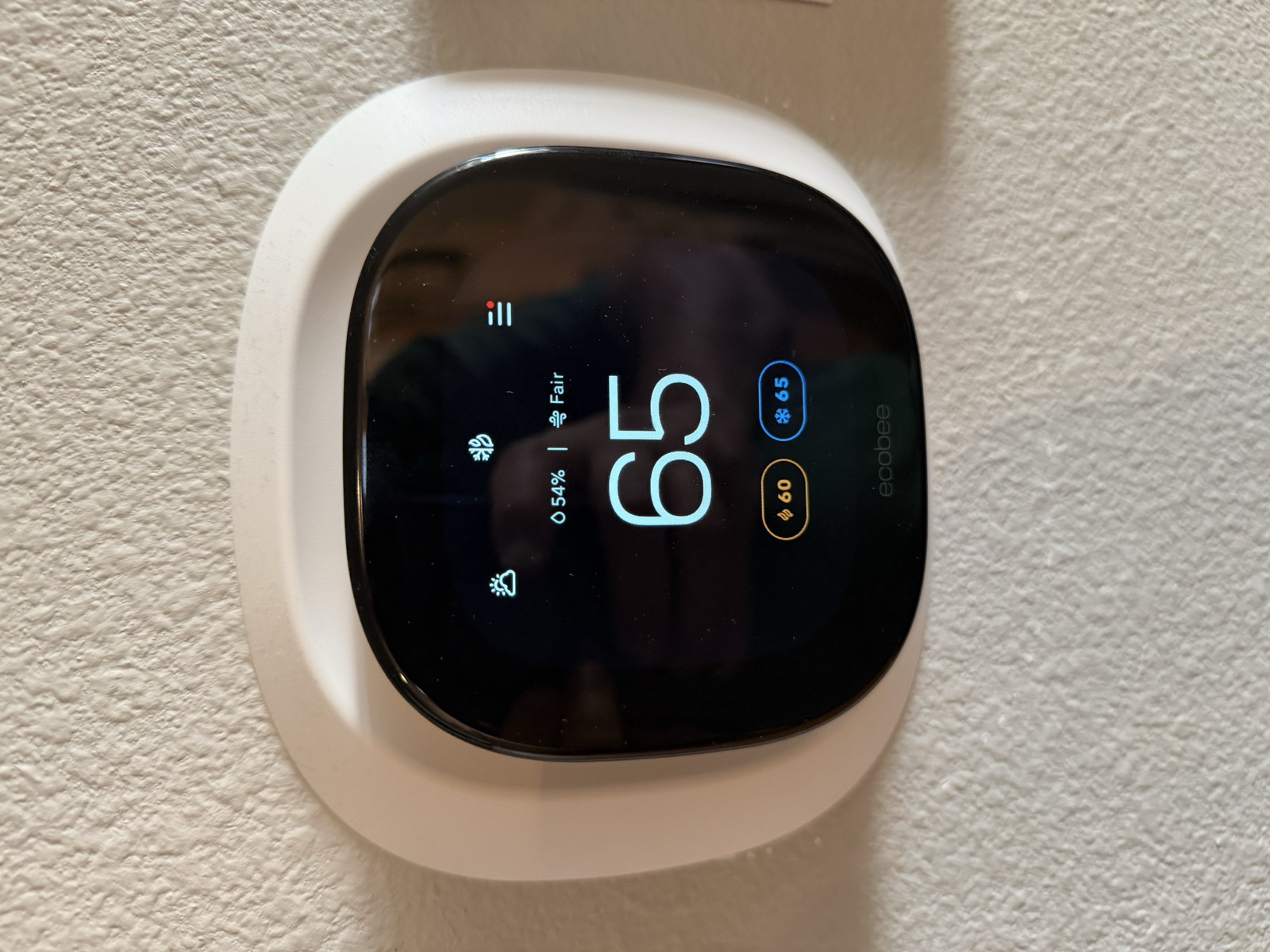
ecobee Smart Thermostat
The thermostat that runs heating and cooling — WiFi-connected, app- and voice-controllable, with built-in air-quality monitoring. The one piece of equipment in this house that is not the original 2017 unit.
At a glance
A wall-mounted ecobee smart thermostat controls the home’s heating and cooling. You can use it as a plain thermostat (tap up/down) or run everything from the ecobee phone app.
- Where
- On the main-floor wall (central hallway/living area). It may also have one or more small remote room sensors placed elsewhere.
- Must know
- It works as a normal thermostat with zero setup — just tap the temperature. Everything smart (schedules, remote control, alerts) runs through the free ecobee app.
- Status
- Installed and operating. This unit superseded the thermostat fitted at the 2017 build — the only replacement anywhere in the house. Exact model and filter size to confirm at walkthrough.
2Everyday use
You do not need the app to be comfortable. Walk up, tap, done.
- Tap the screen to wake it.
- Tap up or down to change the target temperature.
- It heats or cools to that number and then holds it. If a schedule is running, your change is a temporary “hold” until the next scheduled change (or until you set it permanently in the app).
Heating vs cooling
Built-in air-quality monitoring shows a reading on the screen and in the app; it’s informational and doesn’t change how you operate the thermostat.
The only thing in this house that has been replaced
The app
The smart features live in the free ecobee app (iOS/Android) and at ecobee.com, with the thermostat on the house WiFi. From the app you set schedules, hold or override a temperature from anywhere, get alerts (“time to change the filter,” extreme temperatures, a sensor battery running low), and read the energy reports that show how much the system actually ran.
- Schedules and comfort settings — Home / Away / Sleep temperatures and the times they apply. A change made by tapping the wall unit is a temporary hold against that schedule; making it permanent is an app setting.
- Remote sensors — which rooms a sensor participates in, and when. This is the setting to reach for when one room runs consistently warmer or cooler than the rest.
- Voice assistants — the thermostat can be linked to the common voice platforms from the app, if you want it. Nothing else in the heating system depends on it.
Moving the thermostat onto your own ecobee login is a one-time step — see the Appendix — Taking Ownership.
3Maintenance
The one job that matters: change the furnace filter
- Filter changes: typically every 1–3 months depending on the filter and household (pets, allergies). The ecobee tracks runtime and reminds you.
- Filter size: to gather — measure the installed filter (printed on its cardboard edge, e.g. 20×25×1) and record it here so buying replacements is a one-click reorder.
- Where the filter lives: at the furnace/air handler (and/or a return-air grille). To confirm at walkthrough.
- Sensors: remote sensors run on coin-cell batteries that last ~4 years; the app warns when one is low.
4Troubleshooting
- Screen is blank / thermostat is dead: the ecobee is powered by the HVAC system’s “C” (common) wire. A blank screen often means the furnace lost power — check the furnace switch and its breaker before assuming the thermostat failed.
- Not heating/cooling: confirm the mode (Heat/Cool/Auto) and that the target is actually above/below the room temp. Then check the furnace power and filter.
- Offline in the app: it lost WiFi. Re-run WiFi setup on the thermostat (Settings → WiFi). If the whole house is offline, fix the network first (see the Network page).
- Rooms uneven: if there are remote sensors, check which rooms they’re in and how “Follow Me”/sensor participation is set in the app.
5Specs & identity
| Type | ecobee WiFi smart thermostat with air-quality monitoring |
|---|---|
| Age | Not original to the house. The 2017 build’s thermostat was replaced with this newer ecobee — the only replacement of any appliance or equipment anywhere in the house. |
| Model | ecobee Smart Thermostat Premium — the on-board air-quality sensor is a Premium feature. Exact model to confirm at walkthrough from the About screen or the back plate. |
| Serial number | owner's edition |
| Installed location | To gather — main-floor wall (photograph in place) |
| Remote sensors | To gather — how many, and which rooms |
| Consumable — furnace filter | size to gather (measure & record, e.g. 20×25×1 MERV 11) |
| Connectivity | WiFi, on the house network — see Network & Connectivity |
6Documents & links
- ecobee — support home
Guides for every current model. - ecobee Smart Thermostat Premium — install & user guide (PDF)
Smart Thermostat Premium guide — series-level; the exact model in the house is still to confirm. - ecobee app (download links)
iOS and Android.
Section 8Technical reference ExpandCollapse
The engineering layer — for a buyer's technician, or a curious owner.
Low-complexity device — the deep dive is short by design. Two things a technical owner will want to confirm: the wiring (a proper C-wire is present since this is a full-color smart thermostat, but verify at the terminal block if you ever swap it) and the equipment staging (single- vs multi-stage heat/cool, and whether a heat pump is configured) which is set in the thermostat’s installation settings and should match the actual furnace/AC — a detail to lock down once the HVAC make/model is gathered.